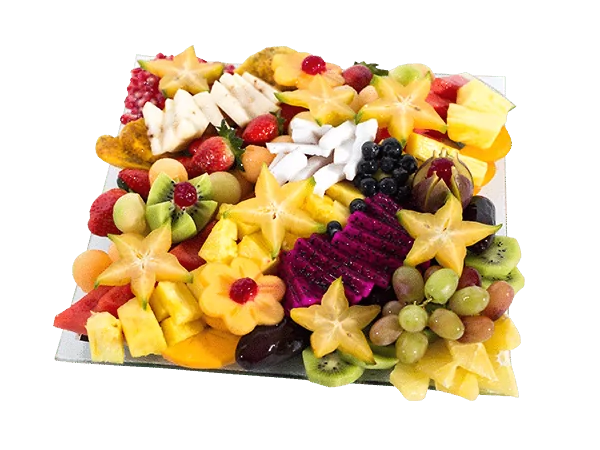
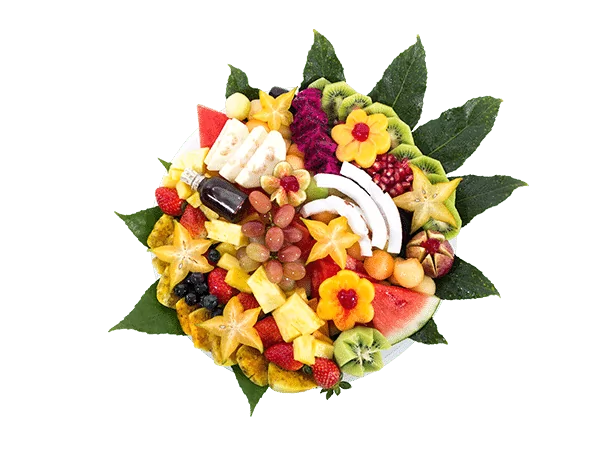
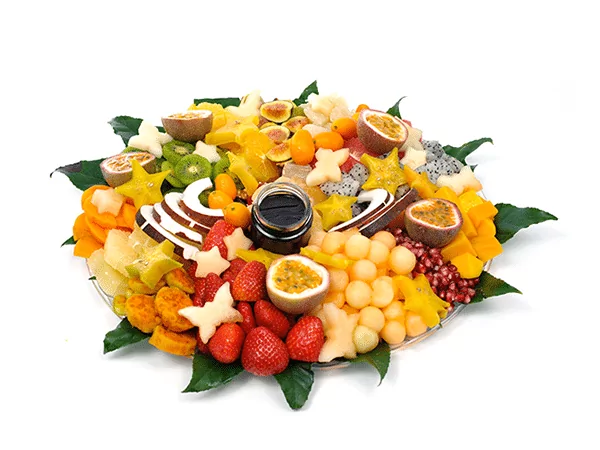
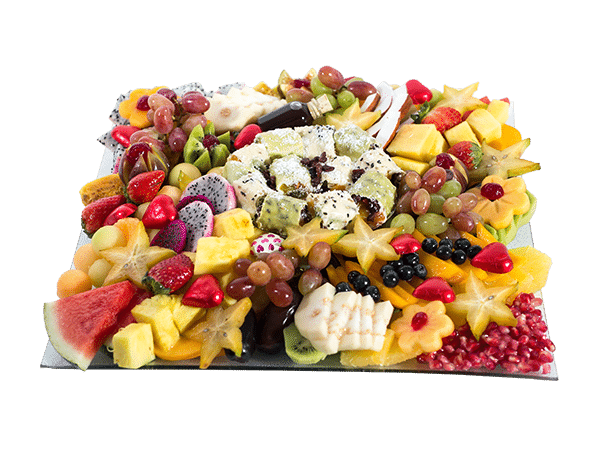
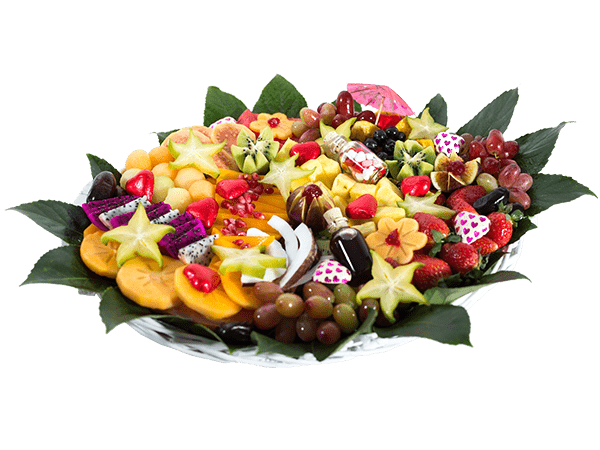
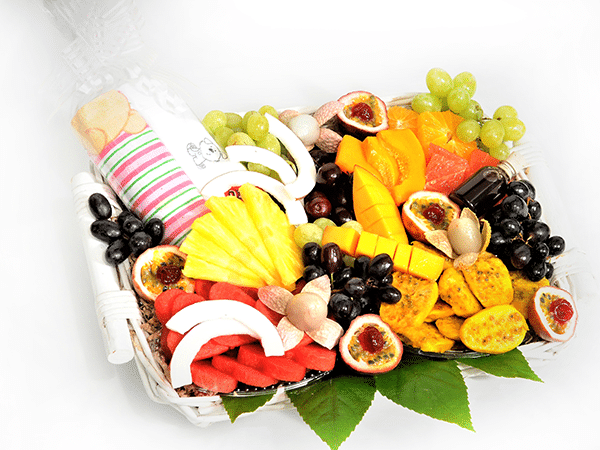
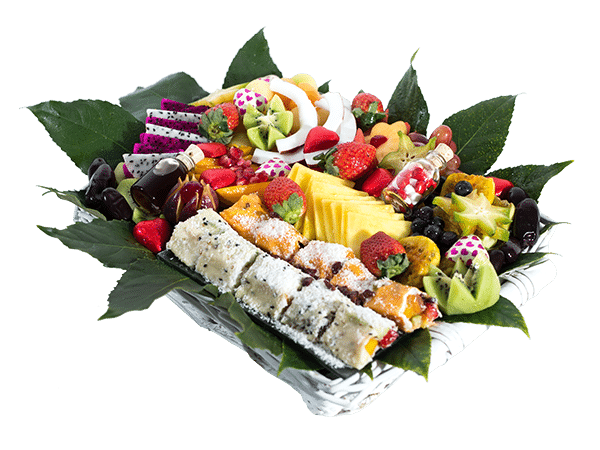
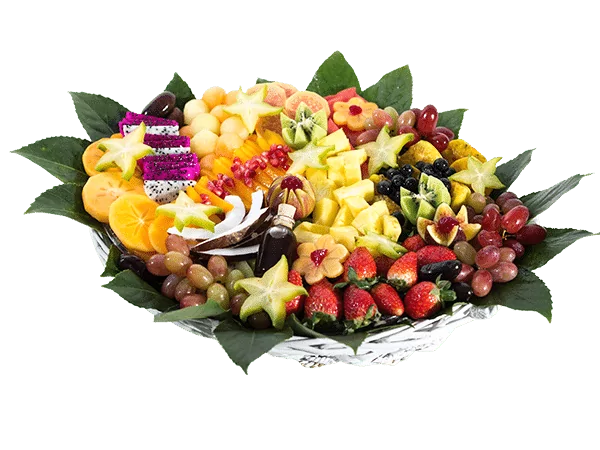
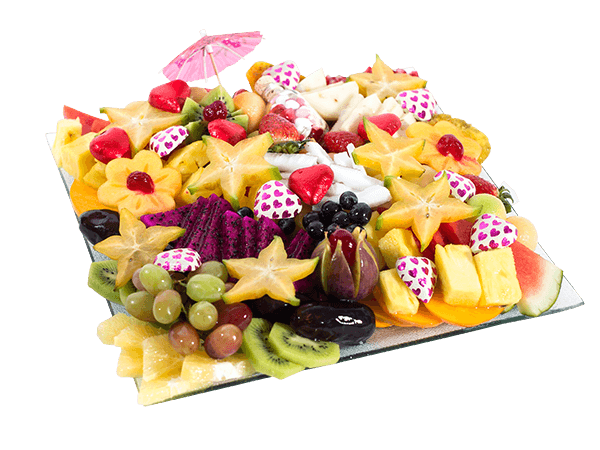
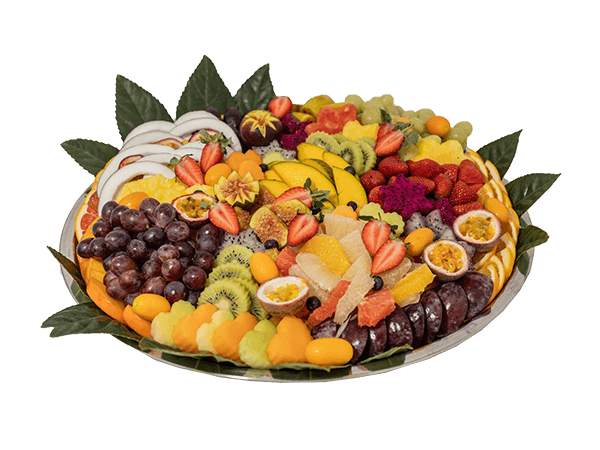
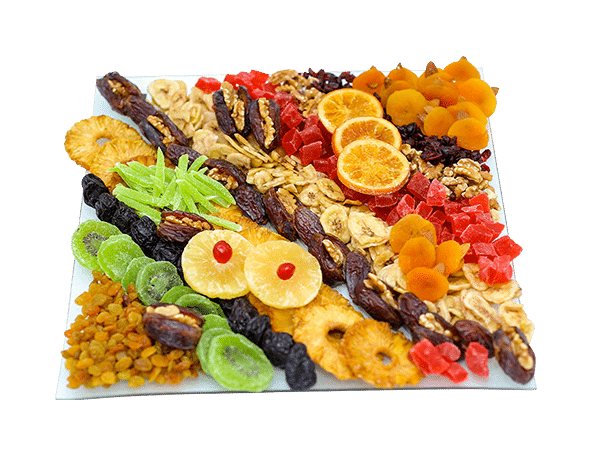
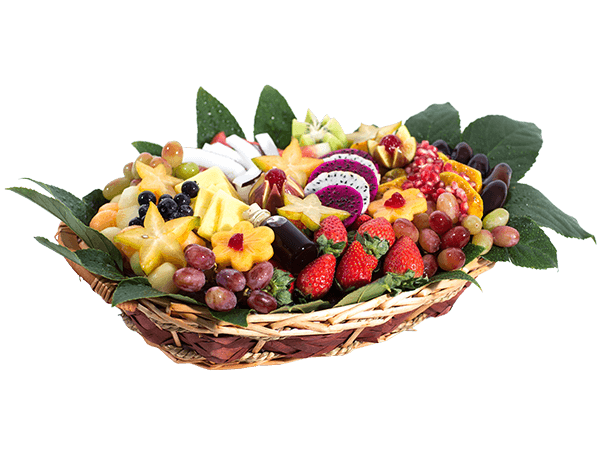
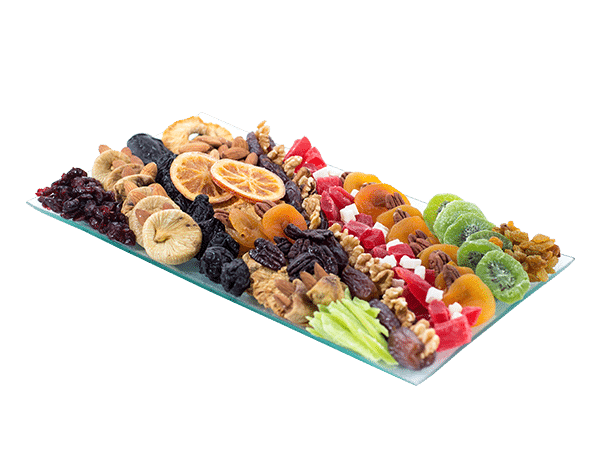
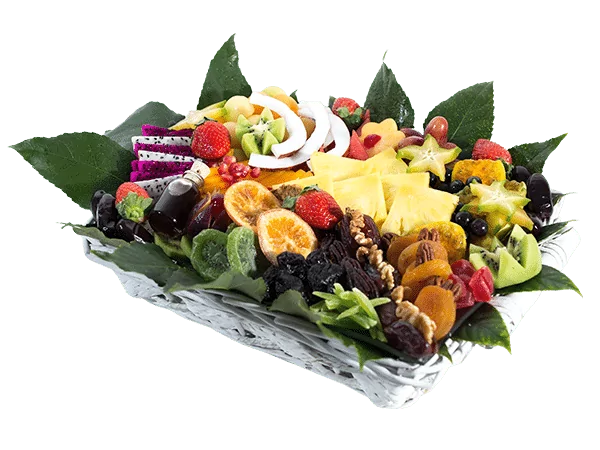
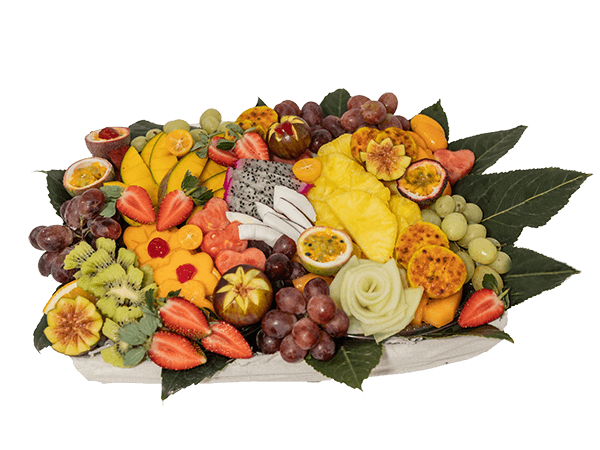
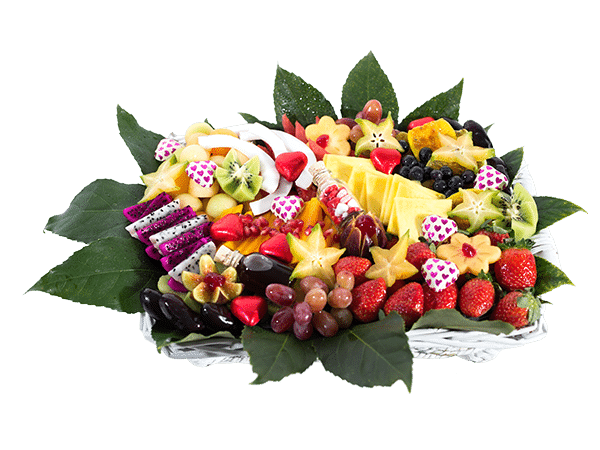
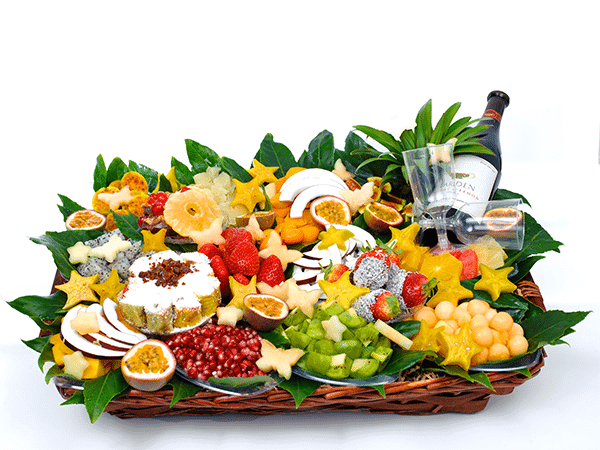
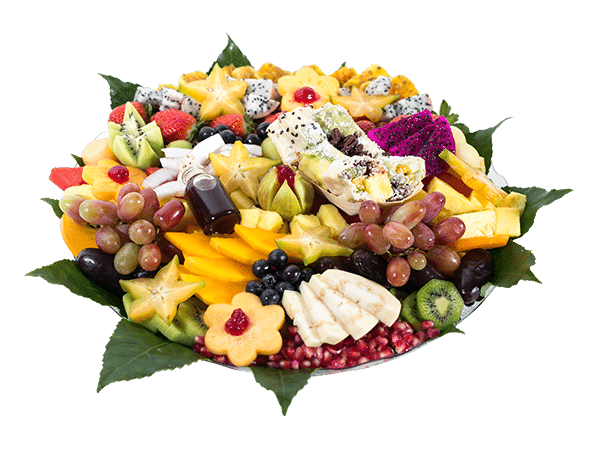
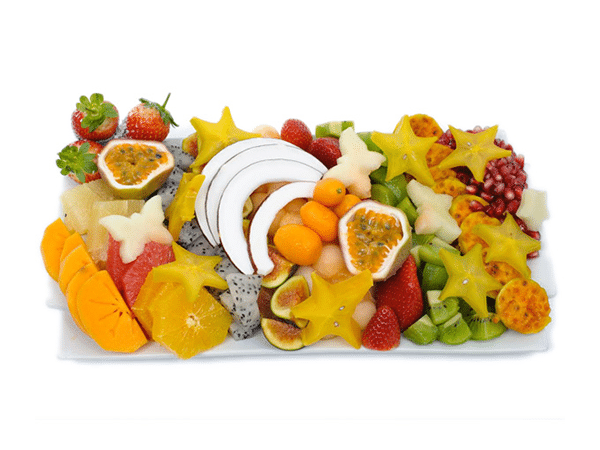
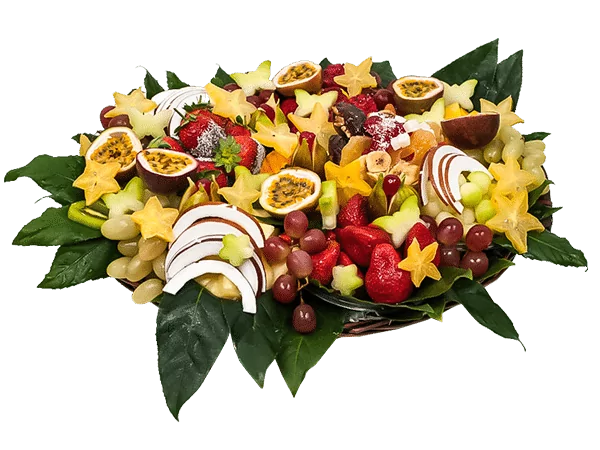
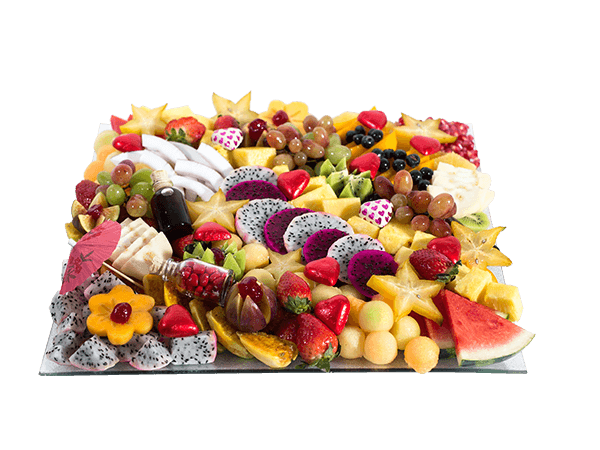
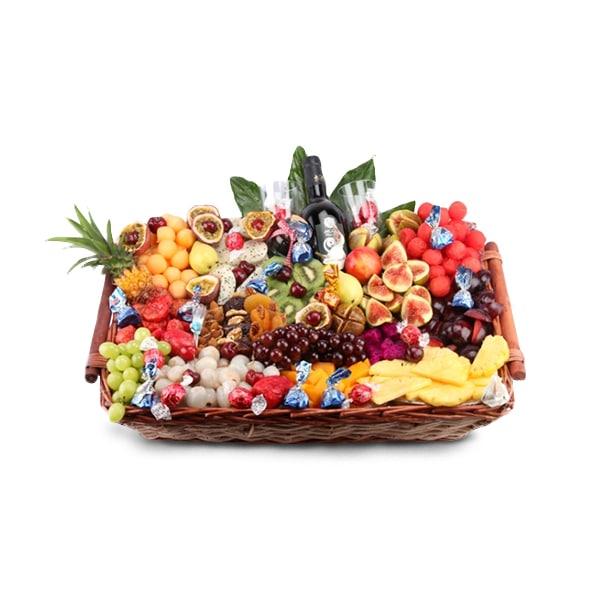
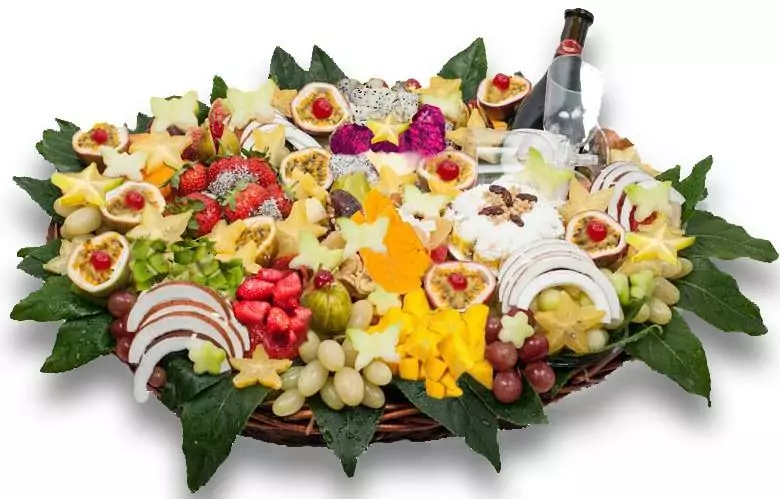
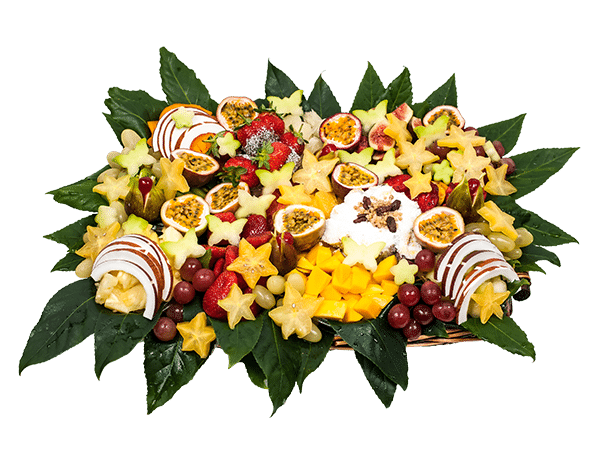
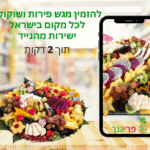
האם יכול להיות רגע מתוק ונפלא מזה שבו נוגסים בפרי טרי וקריר ביום קיץ יחם? ככל הנראה שאין תחושה שמשתווה לכך ולכן גם מגשי פירות של עונת הקיץ כל כך פופולאריים. איך מזמינים אותם ומה חובה שיהיה במגש? כדאי להמשיך לקרוא.
היתרון של מגש פירות הקיץ באירוע
הקיץ בישראל יכול להיות מתיש, ארוך ומאוד מאוד חם. כולנו מחפשים כל הזמן בקיץ אחר מזונות שיתאימו גם לשמירה שלנו על המשקל, גם לחום הקיצוני וגם למתיקות שאנו זקוקים לה במהלך היום. בין אם אנחנו נמצאים בעבודה, ביום כיף או באירוע, יש למגש הפירות הקר תמיד יתרון על פני קינוחים אחרים, במיוחד באירועים. הוא טרי, קריר, הוא מתאים למי ששומר על המשקל ועוסק בספורט, הוא מתאים לשומרי כשרות וגם ילדים מאוד אוהבים אותו, בכל הגילאים.
לאילו אירועי קיץ המגשים מתאימים?
לעומת מגשי פירות חורף, מגש הפירות החתוכים מתאים לכל אירועי הקיץ. קודם כל הוא מתאים במיוחד למסיבות בריכה ולאירועים שנערכים בחוץ. מיד הוא הופך לאטרקציה של האירוע כי הוא מצליח לספק את הרעננות והקרירות שכולם מחפשים. הוא מתאים לאירועי חתונות וחינה, למסיבות אירוסין ומסיבות רווקים ורווקות, לבר מצווה ובת מצווה, לבריתה ולכל אירוע משפחתי ואף לארוחת שישי משפחתית. בנוסף, מגש הפירות יכול להיות מושלם גם עבור ערב חברים וחברות, והוא גם מתאים במיוחד לאירועי צוות, מסיבות גיבוש ולימי עיון וארוחות פינוק בעבודה.
מגש פירות לקיץ
אילו פירות יש במגשי פירות הקיץ?
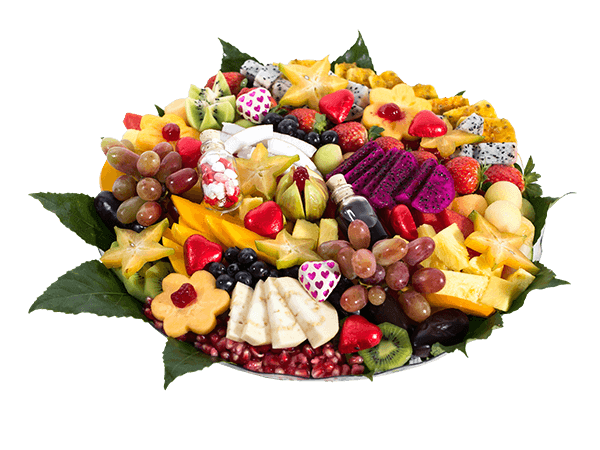
מגש פירות הקיץ תמיד יכלול את פירות העונה הכי מוכרים והם כמובן האבטיחים, המלונים והענבים. בעונת הקיץ הפירות הטעימים האלה במחירים משתלמים לכל כיס, ואם יודעים לבחור אותם נכון הם הופכים להיות הכוכבים האמיתיים של האירוע. בנוסף, יש פירות שתמיד תמיד הולכים טוב במגשי הקיץ והם האננס והמנגו שגם כן נחשבים לפירות העונה, ולמי שאוהב ומתחבר לרעיון אז גם ליצ’י. בסוף המגש צריך להיות מגוון ולקלוע לטעמם של כמה שיותר אנשים, לכן מומלץ ללכת על המגשים שמכילים את הפירות שכולנו מכירים.
על איזה פירות אסור לוותר בקיץ?
חשוב לאכול גם פירות קיץ ואין לוותר על אבטיח ומלון במגשי הפירות כי הם תמיד קולעים לרוב הטעמים בשולחן. כמו כן, ניתן לקבל אותם בכמות גדולה למדי ובמחיר משתלם כיוון שבאמצע העונה הם זולים במיוחד. הם נוחים במיוחד לאכילה, קל להחזיק אותם והם מתאימים במיוחד לאירועים חמים שנעשים בחוץ ובהם אנשים צריכים לשתות הרבה מים. כמו כן, אם מדובר באירוע שבו משתתפים ילדים קטנים מומלץ להיזהר עם ענבים, אך בהחלט שהמלונים והאבטיחים יעשו את העבודה גם איתם ובכל גיל.
מה חובה לבדוק לפני שמזמינים מגש פירות בקיץ?
רגע לפני שעושים את ההזמנה כדאי לבדוק איזה מגוון של מגשים מציע בית העסק ולהבין מהם הפירות הכי בריאים. האם יש לו רק דוגמה אחת או שתיים או שיש לו מבחר גדול ממנו ניתן לבחור את המגש הכי מתאים. כמו כן, מומלץ לבחון המלצות על בית העסק, כמה זמן הוא נמצא, האם יש לו תמונות איכותיות מהן ניתן להבין כיצד נראה המגש והאם יש מגוון רחב של מגשים עם סוגי פירות שונים מהם ניתן לבחור. דבר נוסף שכדאי לבחון הוא נושא המשלוחים – האם המשלוח יכול להגיע בזמן ולאן שאנחנו מבקשים שהוא יגיע? האם הוא נעשה בקירור? לאחר בחינת כל הנושאים הללו ניתן לבחור את המגש הכי מתאים, ורצוי גם שתהיה האפשרות להסיר או להוסיף פרי מסוים במידת הצורך.
מגש פירות במתנה לקיץ
רוצה לשמח באמת מישהו אהוב עם צלחת פירות חתוכים? לשלוח לכבוד יום הנישואין מגש פירות טעים לעבודה? מגש הפירות הפך בשנים האחרונות לקינוח האולטימטיבי שאנשים שולחים במתנה זה לזה ולא בכדי. המגש תמיד כוכב המסיבה כי הוא מרשים, הוא טעים, כיף לחלוק אותו עם העמיתים לעבודה וגם ניתן להוסיף לו תוספות רומנטיות ויפות כמו בלונים, דובי, יין או שוקולדים וכמובן ברכה נוגעת ללב. אין ספק שמי שיקבל את המגש ישמח, ורצוי לשלוח אותו לקראת ארוחת הצהריים כדי שיהיה לפינוק מושלם של קינוח.
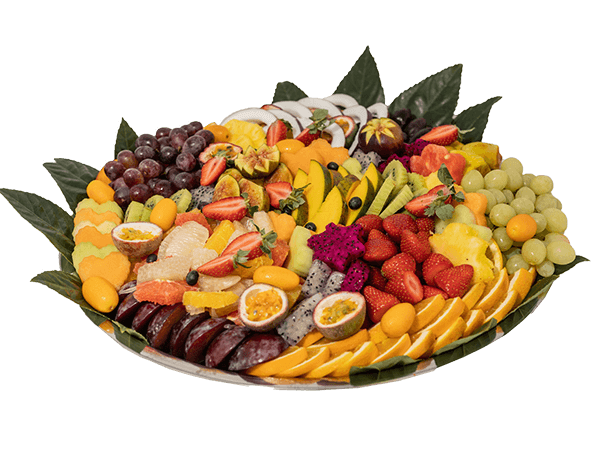
מגש פירות קיץ – הזמנת מגש פירות לקיץ עם פירות העונה של הקיץ. מגשי פירות מעוצבים, טריים, קלופים ומוכנים לאכילה! הפתעה לכל אירוע ומטרה בחודשי הקיץ החמים.

נעים להכיר, אני יוגב. את “פרי גנך” הקמתי בשנת 2011 מתוך אהבה אמיתית לאסתטיקה ואירוח. כבר כמעט 20 שנה שאני חי ונושם את עולם הפירות – החל מהבחירה הקפדנית בשווקים ב-4 בבוקר ועד לעיצוב הסופי אצלכם על השולחן. עבורי, כל מגש הוא יצירה אישית. צברתי ניסיון של אלפי משלוחים לאירועים פרטיים ועסקיים, והמטרה שלי היא תמיד אחת: לייצר עבורכם את אפקט ה-WOW, תוך שמירה קנאית על היגיינה, טריות וסטנדרט שירות שלא רואים כל יום.
מצב זה מאפשר לאנשים עם אפילפסיה להשתמש באתר בבטחה על ידי ביטול הסיכון להתקפים הנובעים מהנפשות מהבהבות או מהבהבות ושילובי צבעים מסוכנים.
מצב לקוי ראייה
משפר את הוויזואליה של האתר
מצב זה מתאים את האתר לנוחיותם של משתמשים עם ליקויי ראייה כגון ראייה משפילה, ראיית מנהרה, קטרקט, גלאוקומה ועוד.
מצב מוגבלות קוגניטיבית
עוזר להתמקד בתוכן ספציפי
מצב זה מספק אפשרויות סיוע שונות כדי לעזור למשתמשים עם ליקויים קוגניטיביים כגון דיסלקציה, אוטיזם, CVA ואחרים, להתמקד במרכיבים החיוניים של האתר ביתר קלות.
ADHD ידידותי ל
מפחית הסחות דעת ומשפר את המיקוד
מצב זה מספק אפשרויות סיוע שונות כדי לעזור למשתמשים עם ליקויים קוגניטיביים כגון דיסלקציה, אוטיזם, CVA ואחרים, להתמקד במרכיבים החיוניים של האתר ביתר קלות.
מצב עיוורון
מאפשר שימוש באתר עם קורא המסך שלך
מצב זה מגדיר את האתר כך שיהיה תואם לקוראי מסך כגון JAWS, NVDA, VoiceOver ו-TalkBack. קורא מסך הוא תוכנה למשתמשים עיוורים המותקנת במחשב ובסמארטפון, ואתרי אינטרנט חייבים להיות תואמים לה..
התאמות טקסט והתוכן
גופן קריא
הדגש קישורים
הדגש כותרות
קנה מידה של תוכן
ברירת מחדל
גודל גופן
ברירת מחדל
ריווח אותיות
ברירת מחדל
גובה קו
ברירת מחדל
זכוכית מגדלת טקסט
ידידותית לדיסלקציה
מיושר לימין
מיושר למרכז
מיושר לשמאל
התאמות צבעים ותצוגה
ניגודיות כהה
ניגודיות אור
ניגודיות גבוה
רוויה גבוהה
רוויה נמוכה
מונוכרום
התאם את צבעי הטקסט
התאם את צבעי הכותרת
התאם את צבעי הרקע
התמצאות קלה
השתקת צלילים
הסתר תמונות
מקלדת וירטואלית
מדריך קריאה
עצור אנימציות
מסכת קריאה
הדגש את הרחף
הדגש פוקוס
סמן שחור גדול
סמן אור גדול
מקשי ניווט
Accessibility Statement
pri-ganech.co.il
September 8, 2026
Compliance status
We firmly believe that the internet should be available and accessible to anyone, and are committed to providing a website that is accessible to the widest possible audience, regardless of circumstance and ability.
To fulfill this, we aim to adhere as strictly as possible to the World Wide Web Consortium’s (W3C) Web Content Accessibility Guidelines 2.1 (WCAG 2.1) at the AA level. These guidelines explain how to make web content accessible to people with a wide array of disabilities. Complying with those guidelines helps us ensure that the website is accessible to all people: blind people, people with motor impairments, visual impairment, cognitive disabilities, and more.
This website utilizes various technologies that are meant to make it as accessible as possible at all times. We utilize an accessibility interface that allows persons with specific disabilities to adjust the website’s UI (user interface) and design it to their personal needs.
Additionally, the website utilizes an AI-based application that runs in the background and optimizes its accessibility level constantly. This application remediates the website’s HTML, adapts Its functionality and behavior for screen-readers used by the blind users, and for keyboard functions used by individuals with motor impairments.
If you’ve found a malfunction or have ideas for improvement, we’ll be happy to hear from you. You can reach out to the website’s operators by using the following email
Screen-reader and keyboard navigation
Our website implements the ARIA attributes (Accessible Rich Internet Applications) technique, alongside various different behavioral changes, to ensure blind users visiting with screen-readers are able to read, comprehend, and enjoy the website’s functions. As soon as a user with a screen-reader enters your site, they immediately receive a prompt to enter the Screen-Reader Profile so they can browse and operate your site effectively. Here’s how our website covers some of the most important screen-reader requirements, alongside console screenshots of code examples:
Screen-reader optimization: we run a background process that learns the website’s components from top to bottom, to ensure ongoing compliance even when updating the website. In this process, we provide screen-readers with meaningful data using the ARIA set of attributes. For example, we provide accurate form labels; descriptions for actionable icons (social media icons, search icons, cart icons, etc.); validation guidance for form inputs; element roles such as buttons, menus, modal dialogues (popups), and others. Additionally, the background process scans all of the website’s images and provides an accurate and meaningful image-object-recognition-based description as an ALT (alternate text) tag for images that are not described. It will also extract texts that are embedded within the image, using an OCR (optical character recognition) technology. To turn on screen-reader adjustments at any time, users need only to press the Alt+1 keyboard combination. Screen-reader users also get automatic announcements to turn the Screen-reader mode on as soon as they enter the website.
These adjustments are compatible with all popular screen readers, including JAWS and NVDA.
Keyboard navigation optimization: The background process also adjusts the website’s HTML, and adds various behaviors using JavaScript code to make the website operable by the keyboard. This includes the ability to navigate the website using the Tab and Shift+Tab keys, operate dropdowns with the arrow keys, close them with Esc, trigger buttons and links using the Enter key, navigate between radio and checkbox elements using the arrow keys, and fill them in with the Spacebar or Enter key.Additionally, keyboard users will find quick-navigation and content-skip menus, available at any time by clicking Alt+1, or as the first elements of the site while navigating with the keyboard. The background process also handles triggered popups by moving the keyboard focus towards them as soon as they appear, and not allow the focus drift outside of it.
Users can also use shortcuts such as “M” (menus), “H” (headings), “F” (forms), “B” (buttons), and “G” (graphics) to jump to specific elements.
Disability profiles supported in our website
Epilepsy Safe Mode: this profile enables people with epilepsy to use the website safely by eliminating the risk of seizures that result from flashing or blinking animations and risky color combinations.
Visually Impaired Mode: this mode adjusts the website for the convenience of users with visual impairments such as Degrading Eyesight, Tunnel Vision, Cataract, Glaucoma, and others.
Cognitive Disability Mode: this mode provides different assistive options to help users with cognitive impairments such as Dyslexia, Autism, CVA, and others, to focus on the essential elements of the website more easily.
ADHD Friendly Mode: this mode helps users with ADHD and Neurodevelopmental disorders to read, browse, and focus on the main website elements more easily while significantly reducing distractions.
Blindness Mode: this mode configures the website to be compatible with screen-readers such as JAWS, NVDA, VoiceOver, and TalkBack. A screen-reader is software for blind users that is installed on a computer and smartphone, and websites must be compatible with it.
Keyboard Navigation Profile (Motor-Impaired): this profile enables motor-impaired persons to operate the website using the keyboard Tab, Shift+Tab, and the Enter keys. Users can also use shortcuts such as “M” (menus), “H” (headings), “F” (forms), “B” (buttons), and “G” (graphics) to jump to specific elements.
Additional UI, design, and readability adjustments
Font adjustments – users, can increase and decrease its size, change its family (type), adjust the spacing, alignment, line height, and more.
Color adjustments – users can select various color contrast profiles such as light, dark, inverted, and monochrome. Additionally, users can swap color schemes of titles, texts, and backgrounds, with over 7 different coloring options.
Animations – epileptic users can stop all running animations with the click of a button. Animations controlled by the interface include videos, GIFs, and CSS flashing transitions.
Content highlighting – users can choose to emphasize important elements such as links and titles. They can also choose to highlight focused or hovered elements only.
Audio muting – users with hearing devices may experience headaches or other issues due to automatic audio playing. This option lets users mute the entire website instantly.
Cognitive disorders – we utilize a search engine that is linked to Wikipedia and Wiktionary, allowing people with cognitive disorders to decipher meanings of phrases, initials, slang, and others.
Additional functions – we provide users the option to change cursor color and size, use a printing mode, enable a virtual keyboard, and many other functions.
Browser and assistive technology compatibility
We aim to support the widest array of browsers and assistive technologies as possible, so our users can choose the best fitting tools for them, with as few limitations as possible. Therefore, we have worked very hard to be able to support all major systems that comprise over 95% of the user market share including Google Chrome, Mozilla Firefox, Apple Safari, Opera and Microsoft Edge, JAWS and NVDA (screen readers), both for Windows and for MAC users.
Notes, comments, and feedback
Despite our very best efforts to allow anybody to adjust the website to their needs, there may still be pages or sections that are not fully accessible, are in the process of becoming accessible, or are lacking an adequate technological solution to make them accessible. Still, we are continually improving our accessibility, adding, updating and improving its options and features, and developing and adopting new technologies. All this is meant to reach the optimal level of accessibility, following technological advancements. For any assistance, please reach out to